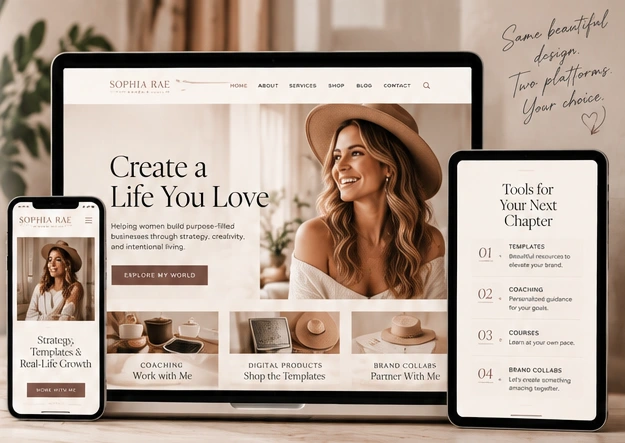
Website Planning
Your website content checklist before you customize a template
Gather your words, photos, work examples, and links first so you can spend less time searching and more time making your website feel like you.

A beautiful website template gives you structure. Preparing your content gives that structure purpose. Before you open the editor, collect the pieces you already have and identify the few things you still need to create.
1. Your introduction and main message
Write a short introduction explaining who you are, what you do, and who your work is for. Then choose the main action you want a visitor to take. Keep a longer version for your About page and a shorter one for the top of your homepage.
You can refine the wording later. Starting with a real message makes it easier to judge whether a section is helping your story or taking up space.
2. A small, purposeful image collection
Gather a portrait, a few supporting brand images, and relevant work or product photos. Choose files you have permission to use, and keep the originals in a clearly named folder.
Look for a mix of wide and vertical compositions. A photo that works in a large desktop banner may need a different crop on mobile. Keep important faces and product details away from the edges when possible.
3. Your services and product information
For each offer, write down what it is, who it helps, what is included, and what someone should do next. Add the price if you are ready to publish it, or explain how to request more information.
Keep checkout links, scheduling links, and delivery instructions together. If a product is not ready, decide whether to leave it out or identify it clearly as coming soon.
4. Work examples and supporting context
Choose portfolio pieces that match the work you want to do next. Add a short note about your role and the purpose of each example. Label concepts and practice work accurately.
If you have permission to use a testimonial, save the approved wording and attribution. If you do not have testimonials yet, let your work and process speak for themselves instead of filling the space with invented feedback.
5. Contact details and essential links
Collect your business email, social profiles, inquiry destination, and any external tools you plan to connect. Decide which links are helpful to a visitor and which can stay out of the main navigation.
After adding them to your site, click each one. Check that email links open correctly, forms reach the intended destination, and purchase buttons lead to the right product.
6. A final review on different screens
Read your pages on a phone and a larger screen. Check text size, image crops, navigation, and button spacing. Make sure your main invitation is easy to find without relying on hover effects.
You do not need every sentence perfected before you begin. A tidy content folder and a clear idea of each page’s purpose are enough to make customizing your template feel much more manageable.